Understanding Trailmap user types
What types of accounts are available in Trailmap?
There are two types of user accounts within Trailmap — Standard and Administrator. Each role provides different levels of access depending on your responsibilities and needs.
What is a Standard Account?
A Standard role provides access to key features of the Trailmap dashboard, including:
Dashboard: View campaign performance and analytics.
Calendar: Track upcoming events, workshops, and deadlines.
Campaigns: Review and manage ongoing marketing campaigns.
Events: Monitor event details, attendance, and reports.
Contacts: Access and manage leads or client lists.
Standard users are assigned to either all account campaigns or specific presenters, depending on how your account is structured.
What is an Administrator Account?
An Administrator role grants full access across the TrailMap platform. Administrators can:
Manage all campaigns and events.
Access every section of the account dashboard.
Oversee user administration, including adding or modifying users.
This level of access is ideal for users who need complete visibility and control across all marketing operations.
How do I know which account type I have?
You can easily check your account role within Trailmap:
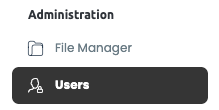
Navigate to the Administration section in the left-hand menu.
Click on Users.
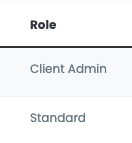
In the Users list, locate your name — the Role column will display your account type (e.g., Client Admin or Standard).